I found out something new the other day; how to copy text out of tables in Firefox in the way I want to copy it.
Before I used to simply select the area with my mouse, which may or may not include a whole bunch of text I didn’t want or need. Say for instance, I just wanted the column “Why not try” on this page:

Notice how, if I drag, I can’t avoid also selecting some of the text in the left hand column.
I used to work around this by pasting into another application first and deleting the text I didn’t want.
The other day I found that if you hold down the Ctrl key while clicking table cells, you can select any individual cells you want to copy:
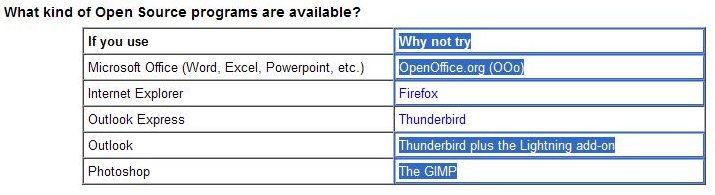
Right-click > Copy (Ctrl + V) and the result:
| Why not try |
| OpenOffice.org (OOo) |
| Thunderbird plus the Lightning add-on |
| The GIMP |
I didn’t know this was possible, and on my system it looks as though it only works in Firefox (I tried Chrome and IE, but haven’t tested in other browsers yet).
Next, I want to be able to select text (not an image) by dragging a rectangle over it and getting the text (as with Block selection in OpenOffice.org). Perhaps there’s an Add-on for doing this, but I haven’t found it yet.


No user commented in " Always something new to learn "
Follow-up comment rss or Leave a Trackback